Can-MaP
Can-MaP
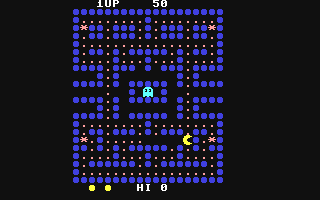
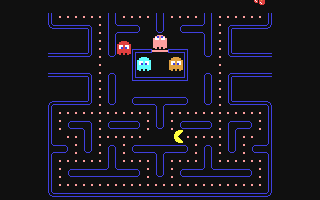
Can-MaP is a pac man game for the Commodore 64 that was released in 2015. The game was developed by Fredric Blåholtz and published by (Public Domain).
Now you can play Can-MaP online, directly in your web browser! Our Commodore 64 emulator brings this retro gaming experience to life without requiring any downloads or plugins. Just click "Start Game" and enjoy this piece of gaming history.
Joystick 1:
- Left: A
- Right: D
- Up: W
- Down: S
- Fire: Left SHIFT
Joystick 2:
- Left: ←
- Right: →
- Up: ↑
- Down: ↓
- Fire: Left CTRL
We offer no C64 downloads due to copyright.
Getting Started
Click the "Start Game" button to load Can-MaP directly in your browser. This Pac Man game from 2015 runs using our Commodore 64 emulator - no downloads, plugins, or installation required.
Game Controls
Use the keyboard controls shown in the Joystick Controls section above. By default:
- Movement: WASD keys or Arrow keys
- Action/Fire: Left SHIFT or Left CTRL
- Switch Joysticks: Click the joystick swap icon if the controls don't respond
Tips for Best Experience
- Click the fullscreen button for an immersive gaming experience
- Use the save/load snapshot buttons to save your progress
- Adjust sound using the volume control icon
By using this embedded video, you agree to be bound by the YouTube Terms of Service.
Configuration
More Pac Man Games
View allIf you enjoyed Can-MaP, try these popular games from the same genre.
Popular C64 Games
Browse allA few of the most-played Commodore 64 games on the site right now.